Cull Me uP vs. the tools you already use
Before Lightroom. Before Capture One. Before the edit.
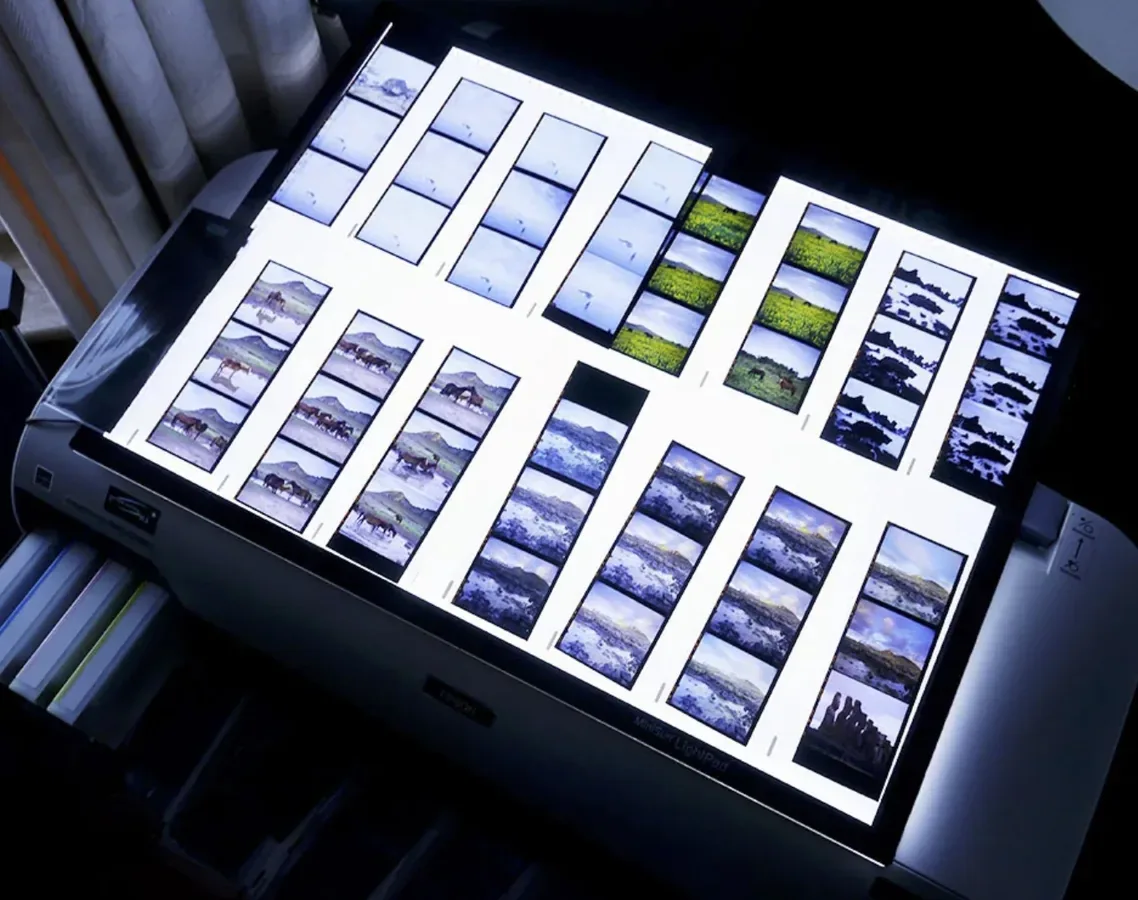
Cull Me uP is the modern Light Table for the first decision — instant-feeling RAW speed, an AI you shape yourself, and one continuous workflow across iPhone, iPad and Mac. The step your editor was never built for.
Speed you can feel
RAW opens almost instantly, and full-resolution detail arrives the moment you check focus.
OthersEditors stall behind import, catalogs and 1:1 previews.
Your eye holds the verdict
Pick, Reject, Maybe, stars, compare — selection stays a photographic act.
OthersAI cullers decide with criteria you cannot see.
An AI you shape
Tell Nala what matters in your frames, and train it on your own corpus.
OthersGeneric AI imposes an average taste that isn't yours.
One Apple-native flow
Start on iPhone while the shoot is fresh, finish on Mac — nothing lost.
OthersDedicated cullers are desktop-only; editor iPad apps stay limited.
Decisions that travel
Picks and ratings written as XMP your editor reads. No lock-in.
OthersSome tools trap your work or lose the metadata.
The honest framing
Editing is not the hard part anymore.
Lightroom, Capture One and DxO can all deliver excellent results. For most photographers the bottleneck is no longer the edit — it is everything before it.
A single session now produces 1,000, 2,000, even 3,000 frames. Burst mode, pre-capture, faster cameras, larger files. The question stopped being which editor should I use and became how do I make sure the right images even reach the editor.
Garbage in, garbage out. Start an editing session with too many files and too little structure, and even the best software gets slower and heavier. Cull Me uP improves the input of the whole workflow.
Proof 01 · Speed
Speed is not a feature. It is the rhythm of decision.
Fast culling is not about opening files quickly. It is about never losing the rhythm of decision.
Most culling still happens inside tools built for another era, or bolted onto an editor. Cull Me uP was engineered from the first line for one job: moving through RAW at the speed of decision.
A dedicated decoding pipeline keeps buffers of decoded frames running ahead of you, so the next image is already there when you arrive — no spinner, no software catching up. A culling-ready view appears almost instantly, sharp enough to decide, and full resolution arrives smoothly, in place when you need to verify focus — a deliberate low-resolution to 100% transition, with no jarring reload and no separate loupe window.
Photo Mechanic built its reputation on deadline ingest and desktop production. Cull Me uP was engineered for a newer kind of speed: immediate RAW review, fluid first-pass decisions, and seamless inspection across modern Apple devices. See the decode and culling-throughput benchmarks in the Lab.
Open
The first RAW appears almost instantly. No progress bar standing between you and the shoot.
Decide
Pick / Reject / Maybe without waiting. The next image is already buffered and ready.
Inspect
Full-resolution detail arrives naturally when you need to verify critical focus.
In practice
Near-instant RAW opening · decode buffers running ahead of you · smooth low-res to full-resolution inspection · no break in the rhythm of review.
Garbage in, clean session out
From a folder you dread to a set you can't wait to edit.
2,347
RAW files
Bursts · duplicates · hesitation · visual fatigue
Cull Me uP
The first pass
Instant RAW · Nala organizes · you decide · XMP travels
143
ready to edit
Clean selection · structured session · Lightroom / Capture One / DxO ready
Proof 02 · Intelligence
Nala — an AI you shape, not an AI that judges you.
Most AI cullers try to decide what a good photo is, from a model trained on everyone's averages. Nala takes another path: AI shaped by your priorities, your subjects, your sharpness expectations — and eventually your own image corpus.
Generic AI culling hides its criteria, so you end up combing back through everything the machine set aside — just in case your best frame is hiding in the pile. The tool that promised to save you time has handed you a spam folder to double-check. Nala never does that. It assists and prepares the ground; the verdict stays yours. Dissolve any structure you disagree with in one gesture — your eye remains the only judge.
Adjust what matters
Give more weight to the zones, subjects or details that matter to your work — eyes in a portrait, a specific focus zone, animal faces, birds, products, children, hands, a critical edge.
Train on your own corpus
Help Nala understand your photographic world, not an average dataset. Not generic AI taste — your eye, made operational.
Organise before judging
Nala structures the shoot before review — bursts, time gaps, candidates, groups — but the final call stays yours.
Not AI replacing your eye. AI learning how your eye works. The choice stays yours.
Proof 03 · Continuity
One Light Table. Three Apple devices.
Cull Me uP is not a desktop-only utility. It turns iPhone, iPad and Mac into one continuous first-pass workflow — start where the shoot is still fresh, finish where the real editing begins.
iPhone
Pocket Light Table
One image. One decision. Keep moving. First pass, Pick / Reject / Maybe, micro-sessions while the shoot is still fresh.
iPad
Tactile Light Table
A bigger screen for serious review — compare, refine, a touch-based flow that stays relaxed but focused.
Mac
The bridge to the editor
Larger sessions, metadata checks, export and a clean, structured handoff into the editing workflow.
Proof 04 · Portability
Your decisions shouldn't be trapped inside one app.
Cull Me uP is not trying to replace your editor or lock you into a closed workflow. It prepares a cleaner session for the tools you already use.
Picks, rejects, ratings and metadata move forward — into Lightroom, Capture One, DxO or the rest of your professional workflow. Cull Me uP doesn't compete with your editor. It makes your editor start from a better place.
The real competition
The most dangerous alternative isn't a product. It's a reflex.
It isn't Photo Mechanic. It isn't Lightroom. It isn't AI. It is the reflex of culling inside the editor — because the editor is already open.
The real barrier is a habit: I already flag in Lightroom. Of course you can. The question is not whether your editor can flag images — it is whether your editor is the best place to begin with 2,000 undecided RAW files.
Lightroom is where the image is finished. Cull Me uP is where the editing session becomes possible.
At a glance
The whole field, in one view.
Find your current workflow
If you use X today…
If you use Lightroom today
Keep Lightroom. Stop starting there.
Lightroom is excellent for developing and finishing. But the first pass hides behind import, previews and catalog setup.
Lightroom finishes the image. Cull Me uP makes the session possible.
If you use Photo Mechanic today
Respect the reference. Meet the modern Light Table.
Photo Mechanic is the reference for ingest, metadata and deadline desktop production. Cull Me uP rebuilds the first pass for immediate RAW review, fluid decisions and Apple continuity.
Desktop production reference, meet the Apple-native first pass.
If you use AI culling today
Keep the help. Keep the verdict.
AI can group, surface patterns and help you move faster — but the final selection should reflect your eye. Nala is shaped by your priorities and trained on your own corpus.
Not average taste. Your judgment, made easier to apply.
If you use Capture One or DxO today
Let your editor do what it does best.
Capture One and DxO are strong finishing environments — color, optics, rendering, output. Cull Me uP doesn't replace them; it gives them better input.
Better input. Better editing session.
If you use Adobe Bridge today
Free is useful. Friction still matters.
Bridge is already there for Creative Cloud users: it browses folders and applies ratings. Cull Me uP is built for a focused first pass — instant RAW, photographer-led decisions, Nala, Apple continuity.
Bridge browses. Cull Me uP helps you decide.
Cull Me uP may not be for you if…
- Your whole workflow is newsroom ingest, code replacement and immediate wire delivery.
- You want AI to auto-select the final delivery without review.
- You only shoot small folders and never feel culling friction.
- You're looking for an all-in-one editor instead of a better first pass.
Choose Cull Me uP if
- Your shoots are getting bigger and the first pass is the part you dread.
- You want RAW review to feel immediate, not heavy.
- You want to cull while the shoot is still fresh — not weeks later, when the energy is gone.
- You want fast decisions without handing the photographic verdict to a machine.
- You want AI shaped around your priorities, not a generic taste.
- You want iPhone, iPad and Mac as one continuous review workflow.
Try it on the folder you keep postponing.
The fastest way to understand Cull Me uP is to open the shoot you don't want to open in your editor — a real folder, too many RAW files, too much hesitation. You don't need another editor. You need a better beginning.